Your AI answers, always retrievable
Find Any AI Answer
You've Ever Written
ChatEngram automatically saves web chats from ChatGPT, Claude, Gemini, and DeepSeek, then lets you import local Codex, Claude Code, OpenCode, and Gemini CLI sessions into the same searchable memory.
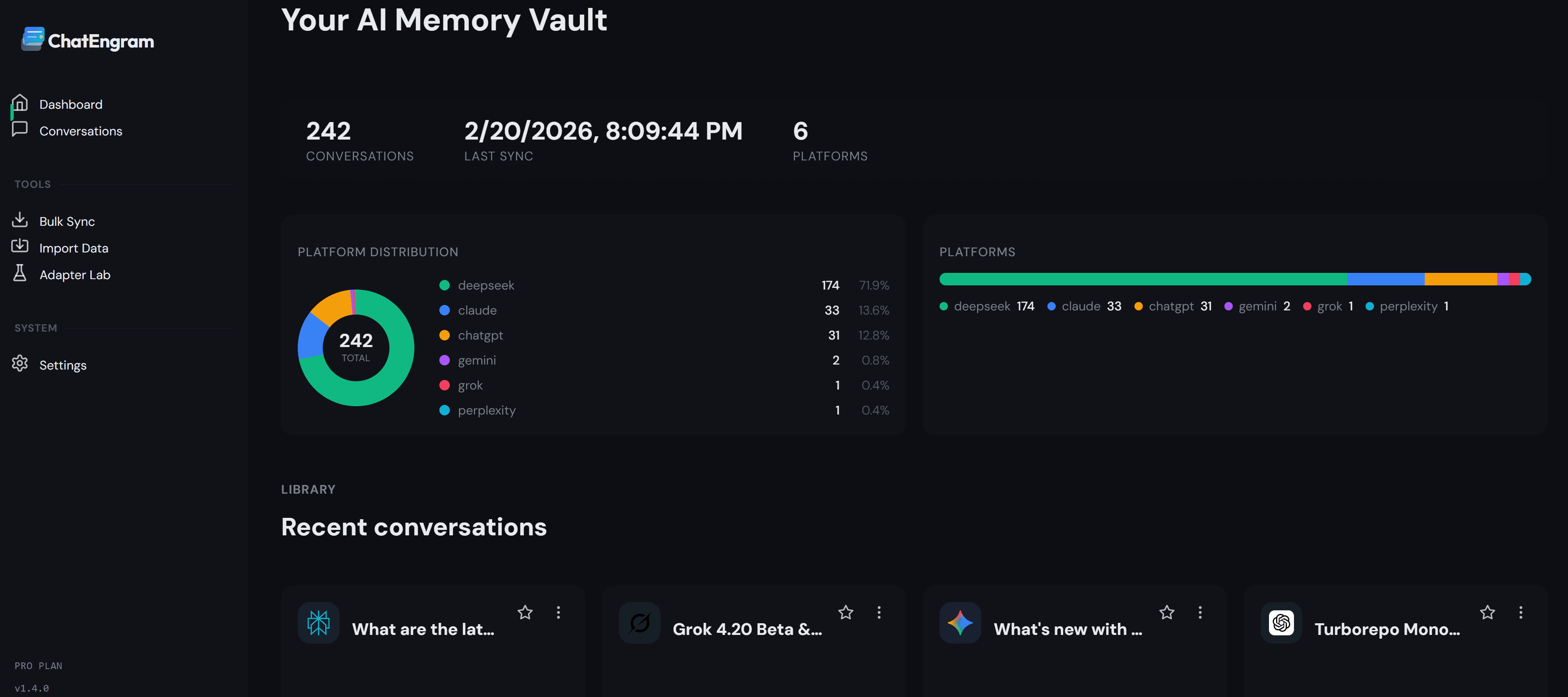
Auto-capture, zero effort
No copy-paste. No export buttons. ChatEngram runs silently in the background and saves every conversation as you chat.
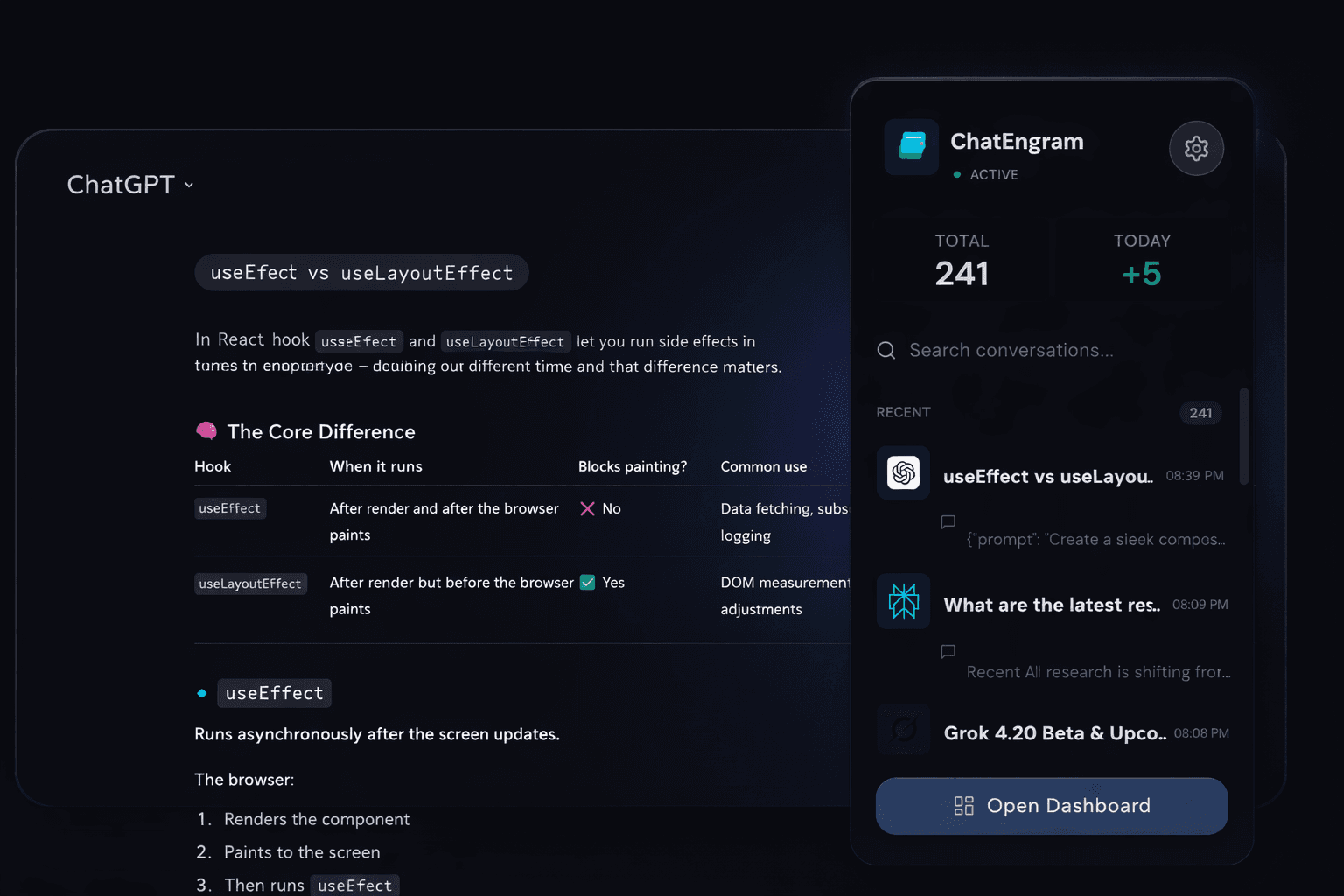
Find anything, instantly
Full-text search across every conversation. That debugging trick from three weeks ago? Two keystrokes away.
Never Lose Another
Coding Agent Session
Modern developers don't just chat in browser tabs—they code with CLI agents. ChatEngram watches your local agent directories in the background, turning ephemeral terminal logs into a permanent, searchable memory bank.
Live Agent Folder Watcher
Select your session folder once. As Claude Code or OpenCode writes transcripts, ChatEngram incrementally syncs updates in the background with automatic deduplication.
Structured Tool-Call Timelines
Messy JSONL streams are automatically formatted into readable timelines: inspect bash commands, file diffs, tool outputs, and assistant thoughts cleanly without digging into raw files.
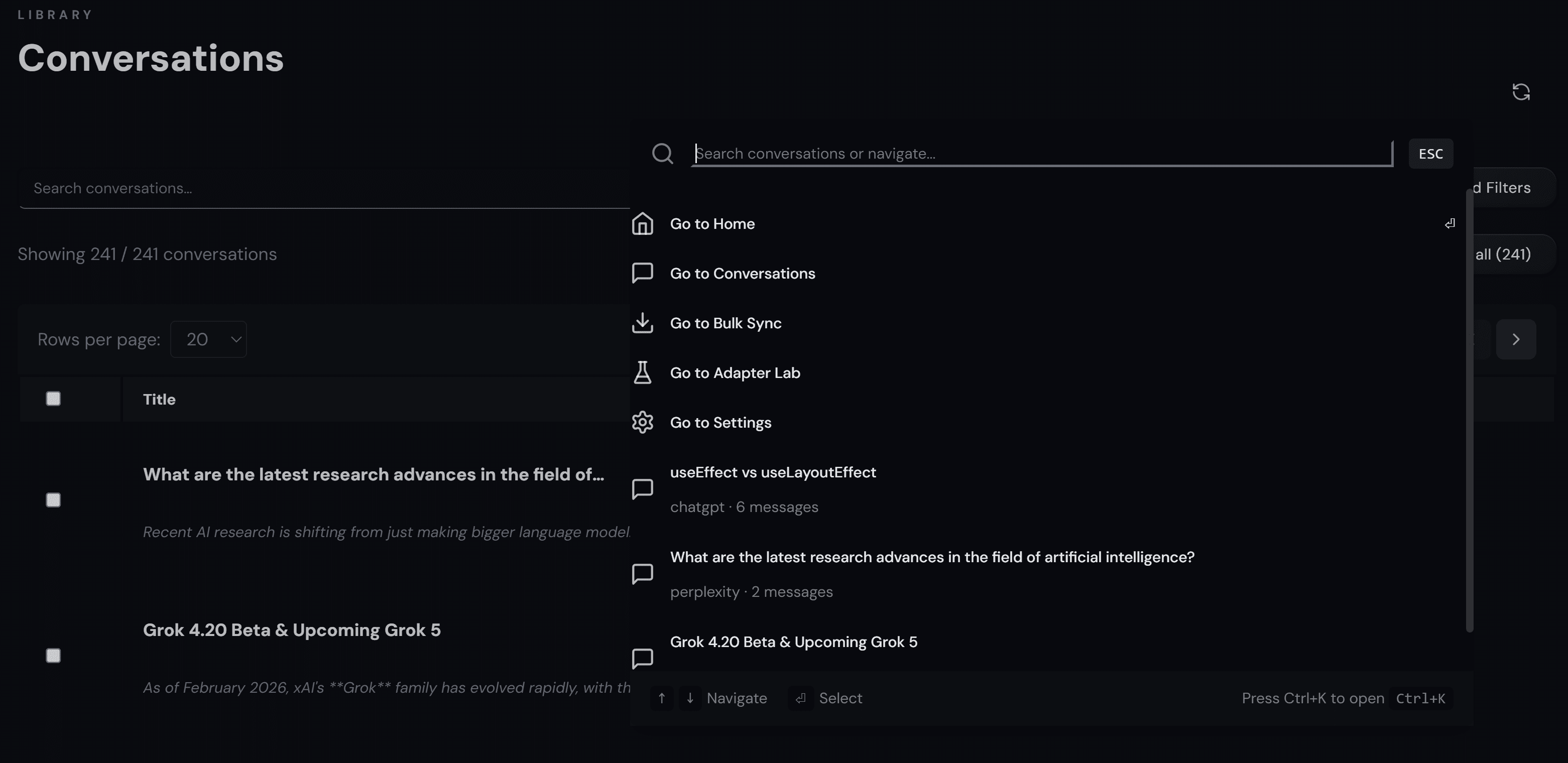
Unified Cmd+K Spotlight
Press Cmd/Ctrl+K anywhere to recall bash commands, refactor prompts, or code fixes across CLI sessions and web ChatGPT/Claude chats simultaneously.
100% Local-First Privacy
Your proprietary source code, shell history, and API secrets never touch our servers. Everything stays stored safely inside your browser's encrypted IndexedDB.
Claude Code
Full sync
OpenCode
Full sync
Codex CLI
Full sync
Gemini CLI
Full sync
One unified memory,
every AI & agent platform
Capture web chats automatically in your browser, and sync local CLI coding agent sessions from your workstation into one cohesive search index.
Supported Web AI Platforms





Local Coding Agent Runtimes (Folder Watcher & Importer)
Anthropic CLI agent sessions & tool-calls
Local session transcripts & subagent runs
Terminal CLI developer session logs
Antigravity transcripts & DB sessions
Coding agent session logs remain 100% local. ChatEngram never transmits your code, prompts, or terminal history to remote servers.
How it works
Install the Chrome extension
One click. No account required.
Chat like you normally do
ChatEngram works silently in the background.
Search and revisit anytime
Full-text search across all your saved conversations.
Choose the plan that matches your AI workload
Start free, then upgrade when cross-platform search and long-term knowledge workflows become essential.
Clear pricing. No lock-in. Cancel anytime for Pro.
Master Your AI & Coding Agent Workflows
Practical step-by-step walkthroughs for exporting, searching, and backing up AI conversations across ChatGPT, Claude, Grok, DeepSeek, and CLI agents.
How to View and Search Claude Code History (CLI Sessions)
Learn where Claude Code stores CLI session logs and how to search, view, export, and organize past Claude Code conversations and terminal interactions.
How to Export DeepSeek Chat History (Markdown, JSON & Obsidian)
Complete guide to exporting DeepSeek conversation history, saving chats as clean Markdown or JSON, and syncing to Obsidian and Notion automatically.
How to Search Grok Chat History (Full-Text & Workarounds)
Grok has no native full-text search. Find past Grok conversations via the sidebar, browser history, account data export, or automatic full-text search.
How to Export ChatGPT History to Obsidian (Markdown & Auto-Sync)
Turn ChatGPT and Claude conversations into clean Markdown notes in your Obsidian vault. Auto-sync chats, preserve formatting, code blocks, and tags.
FAQ
Stop losing your
best AI answers.
Install in 10 seconds. Search your saved AI history before you lose it.